
In the modern digital age, businesses face an important decision when it comes to managing their IT infrastructure: should they opt for cloud-based solutions, or continue using traditional on-premise systems? The choice between cloud computing and on-premise infrastructure has become a critical factor influencing business operations, particularly in terms of cost, scalability, security, and ease of use. Both models come with their distinct advantages and drawbacks, and understanding these can help businesses make informed decisions based on their specific needs and objectives.
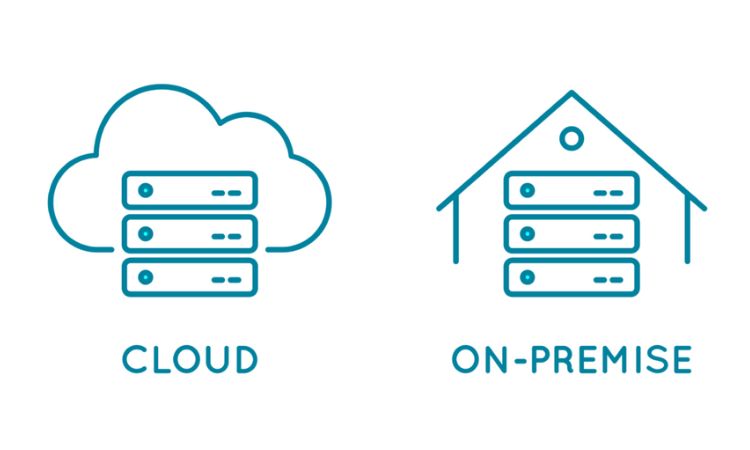
The concept of cloud computing has gained immense popularity in recent years due to its flexible, scalable, and often cost-effective nature. Cloud services allow businesses to access their IT infrastructure and applications over the internet, typically through third-party providers like Amazon Web Services (AWS), Microsoft Azure, and Google Cloud. These platforms eliminate the need for businesses to own and maintain costly hardware, while offering a range of tools and services that can be accessed remotely.
On the other hand, on-premise solutions refer to systems where all hardware, software, and infrastructure are installed and maintained within an organization’s physical location. While on-premise infrastructure offers full control over data and security, it requires significant upfront capital investment and ongoing maintenance. On-premise solutions are often favored by businesses that need to have direct control over their systems or work with highly sensitive data that requires stringent security measures.
This article will dive deep into the core differences between cloud and on-premise solutions, offering a balanced perspective on both. We’ll explore what cloud computing and on-premise systems are, the key features of each, and provide an in-depth comparison of their pros and cons. By the end of this article, you will have a clear understanding of which solution might be more suitable for your organization or business, depending on your specific goals and operational requirements.
What is Cloud Computing? Key Features
Cloud computing refers to the practice of using remote servers, hosted on the internet, to store, manage, and process data rather than relying on local servers or personal computers. Cloud services are typically provided by third-party vendors, allowing businesses to access software, storage, and computing power as a service, rather than having to purchase and manage physical infrastructure.
Key Features of Cloud Computing:
- Scalability: Cloud services can easily scale up or down based on demand. This allows businesses to adjust their resources and costs according to their immediate needs.
- Cost-Effective: Cloud computing eliminates the need for hefty capital expenditures on hardware, reducing the upfront costs for businesses.
- Accessibility: Cloud-based services are accessible from anywhere, providing remote access for employees and enhancing collaboration, which is especially useful for businesses with remote or distributed teams.
- Automatic Updates and Maintenance: Cloud service providers handle software updates, ensuring that businesses always use the latest versions without any effort or downtime.
- Security Features: Leading cloud providers often employ strong encryption, access control mechanisms, and other security measures to safeguard data. Many also adhere to strict compliance standards like GDPR or HIPAA.
What is On-Premise Computing? Key Features
On-premise computing refers to a traditional model where businesses manage and host all their hardware, software, and data storage on their own premises. In this model, companies are responsible for everything from purchasing and installing hardware to maintaining software, ensuring security, and providing ongoing support. This type of setup is particularly suited for businesses with specific requirements for data control, privacy, or customization.
Key Features of On-Premise Solutions:
- Complete Control: On-premise systems offer businesses full control over their IT infrastructure, allowing them to tailor it according to their specific needs and preferences.
- Customization: Businesses can implement highly customized solutions, which can be fine-tuned to their unique operational demands, ensuring maximum performance and efficiency.
- Data Security: For many organizations, especially those in highly regulated industries, storing sensitive data on-site can provide an added layer of control and security.
- One-Time Cost: While the initial investment in on-premise infrastructure can be high, businesses do not face recurring subscription fees. This makes it a potentially cost-effective solution in the long run, especially for large enterprises.
- Independence from Internet Connectivity: On-premise solutions do not rely on the internet to function, ensuring that access to critical systems is not interrupted by network or connectivity issues.
Pros of Cloud Computing
1. Scalability and Flexibility
Cloud computing offers businesses unparalleled scalability and flexibility, two of the most attractive features of cloud services. Unlike traditional on-premise setups, where companies must purchase and configure hardware to meet peak demand, cloud services allow businesses to pay only for what they use and scale up or down as needed.
For example, a growing startup may initially need only a small amount of storage and computing power. With the cloud, they can begin with a minimal configuration, and as their business expands and their demands increase, they can easily scale up their resources without having to replace or upgrade physical hardware. The ability to scale services and resources instantly allows businesses to stay nimble and avoid the potential financial burden of over-investing in IT infrastructure.
This flexibility extends to both storage and processing capabilities. In a typical cloud environment, businesses can increase storage space, computing power, or even bandwidth at a moment’s notice, ensuring they can handle spikes in demand without disruptions to service or performance. This adaptability is especially important in industries with fluctuating workloads, such as e-commerce, gaming, or seasonal businesses.
Moreover, with cloud services offering services on-demand, businesses can tailor their IT resources to suit specific needs. This results in optimized spending and resource management, ensuring that companies never overpay for infrastructure they don’t need.
2. Cost Savings and Reduced Capital Expenditure
A major benefit of cloud computing is the potential for significant cost savings. On-premise systems require substantial capital investments in physical infrastructure such as servers, storage devices, and networking equipment, not to mention the costs of maintaining and upgrading these assets over time. In addition, businesses must also account for the cost of hiring IT personnel to manage the infrastructure, which can be expensive and resource-intensive.
Cloud services, however, eliminate these upfront capital expenditures by offering services on a subscription basis. This means businesses can avoid the large initial costs associated with on-premise systems and instead pay only for the services they actually use. Additionally, the ongoing costs associated with cloud services are predictable and often scale with usage, helping businesses manage their budgets more effectively.
Moreover, the cloud provides a pay-as-you-go pricing model, allowing businesses to avoid the need for over-purchasing hardware and software resources to accommodate future demand. With cloud computing, companies can pay for their services on a monthly or annual basis, giving them more control over their cash flow and reducing the financial strain that often accompanies large, upfront investments in IT infrastructure.
Beyond the direct cost savings, the cloud also offers reduced operational costs. The cloud provider is responsible for infrastructure maintenance, software updates, and security, freeing up internal IT staff to focus on more strategic business tasks. This reduced operational burden translates into additional savings for businesses, particularly smaller organizations without large IT teams.
3. Accessibility and Remote Work Enablement
Cloud computing has transformed the way businesses operate, especially when it comes to enabling remote work and improving accessibility. Cloud services provide employees with the ability to access critical data, applications, and systems from anywhere in the world, as long as they have an internet connection. This is particularly beneficial for businesses with a distributed workforce or for those looking to enable remote working options.
For instance, a company with employees across different locations or time zones can use cloud-based collaboration tools like Google Workspace or Microsoft 365 to share files, communicate, and work on projects in real time. Since cloud services are hosted remotely, employees can access their work from their laptops, smartphones, or tablets, eliminating the need to be physically present in an office or connected to a specific network.
This remote accessibility also facilitates business continuity, allowing organizations to continue operating even in the event of natural disasters, network outages, or other disruptions that might otherwise affect on-premise systems. For instance, during a storm or a pandemic, remote employees can continue accessing cloud applications without interruption, maintaining productivity and ensuring that business operations continue without a hitch.
By allowing businesses to foster a flexible work environment, cloud computing enhances employee satisfaction, reduces office space costs, and enables companies to attract top talent from around the world. It also supports better collaboration between teams working across multiple locations or time zones, helping to streamline workflows and reduce inefficiencies.
4. Automatic Software Updates and Maintenance
A significant advantage of cloud computing is that it automates software updates and maintenance, ensuring that systems are always up-to-date with the latest features, bug fixes, and security patches. For businesses, this means that there is no need to worry about manually installing updates or dealing with potential downtime caused by software updates.
Cloud providers manage all updates on behalf of their customers, ensuring that the infrastructure is always running the latest versions of applications, security protocols, and hardware optimizations. This eliminates the risk of a company running outdated or vulnerable software, which could potentially expose them to security risks or performance issues.
Automatic updates also save businesses considerable time and resources. With on-premise solutions, IT teams must devote time to manually checking for updates, scheduling installation windows, and testing for compatibility issues. With the cloud, all of this is taken care of by the provider, allowing internal teams to focus on more strategic tasks.
In addition to keeping systems secure, automatic updates ensure that businesses can take advantage of the latest advancements in technology. Whether it’s a new feature in a cloud-based application or an enhancement to performance, companies using the cloud benefit from continuous improvements without the need for internal intervention.
5. Enhanced Disaster Recovery and Backup
One of the primary benefits of cloud computing is its robust disaster recovery and data backup capabilities. Cloud providers typically offer built-in solutions to automatically back up critical data at regular intervals, ensuring that businesses can recover their information in case of a failure or disaster.
For businesses relying on on-premise infrastructure, creating an effective backup and disaster recovery strategy can be complex and costly. Companies must invest in additional hardware and storage devices, and their IT teams must regularly monitor and test backup systems to ensure their effectiveness. Furthermore, on-premise systems are often vulnerable to local disasters, such as fires, floods, or power outages, which could result in data loss if proper precautions aren’t in place.
Cloud services, however, store data in multiple data centers across different geographic regions, ensuring redundancy and availability in case of localized failures. Even in the event of a catastrophic event at one data center, the business’s data remains safe and accessible from another location, minimizing downtime and data loss.
This enhanced disaster recovery capability means that businesses can operate with greater confidence, knowing that their data is protected from natural disasters, hardware failures, cyberattacks, or other disruptions. Cloud service providers often include data recovery plans and service-level agreements (SLAs) that guarantee recovery times, further ensuring business continuity.
6. Increased Security and Compliance
Security is one of the most critical considerations for businesses when choosing between cloud and on-premise solutions. Cloud providers invest heavily in implementing security measures to protect customer data. Leading cloud providers employ advanced encryption, multi-factor authentication, access controls, and intrusion detection systems to safeguard data both in transit and at rest. These security protocols help mitigate the risk of unauthorized access or cyberattacks.
Moreover, many cloud providers comply with industry-specific standards and regulations, such as GDPR, HIPAA, SOC 2, and others. This is particularly beneficial for businesses operating in highly regulated sectors such as healthcare, finance, or legal services, where data security and compliance are paramount. For organizations struggling to maintain regulatory compliance on their own, cloud providers can simplify the process by offering built-in compliance features.
In addition, cloud providers often have dedicated security teams to monitor and address emerging threats, ensuring that the latest security vulnerabilities are patched promptly. This level of expertise and resources is typically beyond what most businesses can afford with on-premise solutions.
However, it is essential to note that some businesses may still have concerns about storing sensitive data off-site, as cloud solutions involve trusting a third-party provider with access to their data. Despite the strong security measures in place, businesses must carefully assess the security offerings of their chosen provider and ensure they are aligned with their own security requirements.
7. Reduced IT Complexity
Cloud computing helps businesses reduce the complexity associated with managing IT infrastructure. Traditional on-premise systems often require specialized IT staff to handle the installation, maintenance, troubleshooting, and scaling of hardware and software. With cloud computing, however, these responsibilities are offloaded to the service provider, which maintains the infrastructure on behalf of the business.
This shift enables organizations to focus their resources on more strategic tasks, such as innovation, customer service, and product development, rather than spending time and money on maintaining servers, upgrading systems, or fixing technical issues. Cloud providers typically have dedicated teams for managing infrastructure, which means businesses benefit from specialized expertise without needing to hire additional staff.
Additionally, cloud solutions are easier to set up and configure compared to on-premise systems, which can often be cumbersome and require extensive training for staff members. Cloud providers offer intuitive user interfaces and straightforward management tools, enabling businesses to configure their systems without relying heavily on internal IT teams.
This reduction in complexity not only improves operational efficiency but also makes cloud solutions more accessible for small and medium-sized businesses that may lack extensive IT resources.
8. Innovation and Advanced Technology Access
Cloud computing provides businesses with access to advanced technologies that would be difficult or cost-prohibitive to implement on-premise. Cloud platforms offer services such as artificial intelligence (AI), machine learning (ML), big data analytics, and Internet of Things (IoT) tools, which can help businesses improve their decision-making, optimize operations, and create new products or services.
These advanced capabilities are often bundled into the cloud service package, allowing businesses to experiment with cutting-edge technology without the need to invest heavily in hardware or specialized expertise. For instance, a company may leverage machine learning algorithms for data analysis or deploy IoT devices to track inventory in real-time—all through their cloud provider’s platform.
By offering these services on a subscription basis, cloud computing lowers the barriers to entry for businesses of all sizes. This means that even small organizations can harness the power of technologies that were once only available to large enterprises with significant IT budgets.
9. Improved Collaboration and Productivity
Cloud solutions significantly enhance collaboration and productivity within organizations. With cloud-based tools such as document sharing, real-time editing, and project management platforms, teams can work together seamlessly, regardless of their location. Whether employees are in the same office or working remotely, they can access the same files, share ideas, and collaborate on tasks in real-time.
This ability to collaborate without geographical constraints enables teams to work more efficiently and accelerates decision-making processes. Additionally, cloud services offer version control and file history tracking, reducing the risk of errors caused by multiple versions of a document.
By improving collaboration, cloud solutions help organizations enhance their overall productivity, allowing employees to work faster and more effectively. Moreover, cloud-based tools enable businesses to streamline workflows, reduce bottlenecks, and improve the quality of work across departments.
Cons of Cloud Computing
1. Dependence on Internet Connectivity
A significant disadvantage of cloud computing is its reliance on internet connectivity. Unlike on-premise solutions, where systems are hosted locally and can function without an internet connection, cloud services require a stable and fast internet connection to access applications, data, and other resources.
For businesses located in areas with unreliable or slow internet connections, cloud computing can become problematic. Internet outages, network congestion, or other connectivity issues can result in downtime, reduced performance, and even complete loss of access to critical systems. For businesses that require always-on access to their applications and data, this dependency on the internet can pose a substantial risk.
In contrast, on-premise systems are less vulnerable to connectivity issues because the infrastructure is housed locally, within the organization’s own premises. This means that access to on-premise applications and data remains unaffected even if the internet goes down.
2. Data Privacy and Security Concerns
While cloud providers often have robust security measures in place, data privacy remains a significant concern for many businesses. When sensitive data is stored off-site and accessed remotely, there is always a risk that unauthorized parties could gain access to it.
For some organizations, particularly those handling sensitive customer information or financial data, the idea of entrusting a third-party provider with their data raises red flags. Even though cloud providers offer encryption and advanced security features, businesses may feel uncomfortable with the prospect of sharing sensitive data with an external entity. There are also concerns about how cloud providers manage data access, backups, and disaster recovery, especially when data crosses international borders.
In addition, businesses may need to comply with stringent regulatory requirements that mandate how and where their data is stored, which can complicate the use of cloud services. For instance, regulations such as GDPR in the EU require businesses to ensure that data is stored within the region or that specific data protection mechanisms are in place.
3. Ongoing Costs and Subscription Fees
While cloud computing can offer cost savings, especially for businesses that do not have the resources to invest in on-premise infrastructure, it also comes with ongoing costs that can add up over time. Cloud services typically operate on a subscription-based model, where businesses pay for services based on their usage, such as data storage, bandwidth, and processing power.
While the pay-as-you-go model may be advantageous for some organizations, it can also lead to unpredictable costs. As businesses grow and their demands increase, so do their cloud service fees. The more data that is stored, processed, or transferred, the higher the recurring fees become. Additionally, many cloud services offer tiered pricing structures, meaning businesses could face higher costs if they exceed certain usage limits or require advanced features.
For businesses with tight budgets or fixed financial plans, these ongoing costs can be difficult to predict and manage. Unlike on-premise systems, which involve a one-time capital investment, cloud services involve recurring expenses that can become burdensome over time.
4. Limited Control Over Infrastructure and Services
Cloud computing means outsourcing the management of IT infrastructure to a third-party provider. While this can be beneficial in many ways, it also means that businesses have less control over their own systems. With on-premise solutions, businesses can customize and configure their IT infrastructure according to their specific needs, ensuring that it meets their exact requirements.
In the cloud, businesses are generally limited to the configurations and features provided by the service provider. This lack of control can be a disadvantage for businesses with highly specific needs or those that require deep customization of their systems. It also means that businesses are subject to the cloud provider’s policies, updates, and downtime, which can impact their ability to respond to changing business needs quickly.
For organizations that need complete control over their systems, on-premise solutions are often preferred, as they offer greater flexibility in configuration and customization.
5. Vendor Lock-In
A common challenge faced by businesses using cloud computing is vendor lock-in. Cloud service providers often use proprietary technologies or platforms, which can make it difficult for businesses to migrate to another provider if they are dissatisfied with the service or want to explore other options. Once a business has fully migrated to a specific cloud platform, it can be costly and time-consuming to switch to a different provider.
This lack of portability can be problematic for businesses that want to remain flexible or have concerns about a specific cloud provider’s pricing, performance, or reliability. Additionally, moving large volumes of data and applications to a new cloud provider may involve substantial downtime and data migration costs, which can further complicate the process.
For businesses that prioritize the ability to switch providers or move away from the cloud model, vendor lock-in can be a major disadvantage.
6. Latency and Performance Issues
Cloud computing can sometimes introduce latency or performance issues, especially if a business relies on cloud services for critical, real-time applications. Latency occurs when there is a delay in data transmission between the user and the cloud server, which can affect user experience and application performance.
This issue is especially relevant for businesses that require low-latency applications, such as online gaming platforms or financial services that require real-time transaction processing. In these cases, even slight delays in data transfer can result in poor performance, affecting both the quality of service and customer satisfaction.
On-premise solutions, by contrast, allow businesses to host applications locally, minimizing latency and providing faster access to data and systems. This can make on-premise systems more suitable for high-performance, real-time applications that demand immediate responsiveness.
7. Limited Customization and Flexibility
Cloud services are designed to cater to a broad range of businesses, which means they may not always provide the level of customization that some organizations require. Cloud platforms typically offer predefined configurations, features, and functionalities, which may not be flexible enough to meet the specific needs of businesses with complex IT requirements.
For example, a business with unique data processing needs or specialized workflows may find it challenging to fully customize cloud services to meet these requirements. While cloud providers may offer some customization options, the degree of flexibility is often limited compared to what can be achieved with on-premise solutions.
On-premise systems, by contrast, allow businesses to tailor every aspect of their infrastructure to suit their needs. This includes configuring hardware, software, networking, and security settings to meet very specific business objectives. As a result, on-premise systems may be a better fit for businesses that require deep customization or highly specialized environments.
8. Risk of Downtime
Although cloud providers typically boast high uptime percentages, outages and disruptions can still occur. Cloud services are susceptible to downtime due to various reasons, including server failures, software bugs, cyberattacks, or network disruptions. While cloud providers work hard to maintain reliability and reduce the occurrence of downtime, it’s impossible to eliminate the risk entirely.
For businesses that rely on 24/7 availability, even short periods of downtime can have significant consequences, including lost revenue, decreased productivity, and damage to customer relationships. While most cloud providers offer service-level agreements (SLAs) with uptime guarantees, businesses still face the risk of unplanned outages and service disruptions.
On-premise systems, by contrast, allow businesses to have more control over their infrastructure, which means they can implement their own redundancy measures, backup systems, and disaster recovery plans to ensure minimal downtime. Although on-premise solutions are not immune to failures, businesses can take proactive steps to mitigate the risk of downtime by designing robust, fail-safe systems.
9. Complexity in Managing Multi-Cloud Environments
As businesses expand their use of cloud services, many are adopting multi-cloud strategies—using multiple cloud providers to optimize performance, reduce costs, or achieve geographic redundancy. However, managing a multi-cloud environment can be complex and requires careful coordination to ensure seamless integration, security, and performance across platforms.
In addition to dealing with varying pricing structures and service levels, businesses must also address compatibility issues between different cloud providers and ensure that data can be shared or migrated across platforms without issues. This added complexity can require significant resources and expertise to manage effectively.
For businesses with limited IT resources, managing a multi-cloud environment can become overwhelming and lead to inefficiencies. On-premise solutions, in contrast, offer a more straightforward approach to infrastructure management, as businesses have direct control over their systems and do not need to navigate the complexities of multiple cloud providers.
9 Pros of On-Premise Solutions
1. Complete Control Over Infrastructure
One of the most significant advantages of on-premise solutions is the complete control that businesses have over their IT infrastructure. With on-premise systems, organizations own and manage their hardware, software, and network infrastructure, allowing them to make decisions regarding how systems are configured, maintained, and optimized.
This level of control means that businesses can fine-tune their infrastructure to meet specific operational needs, ensuring optimal performance for their unique requirements. Additionally, this control enables businesses to have full visibility into their systems, which is crucial for troubleshooting and ensuring operational efficiency.
2. Enhanced Data Security and Privacy
On-premise solutions provide a higher level of data security and privacy because data remains within the organization’s own physical premises. Unlike cloud-based solutions, where data is stored off-site in third-party data centers, on-premise systems allow businesses to manage their security protocols directly.
Sensitive data, such as customer information, intellectual property, or financial records, can be protected with custom security measures like firewalls, encryption, and access controls. Moreover, businesses can ensure compliance with industry-specific regulations (e.g., HIPAA, GDPR) because they have direct control over where and how their data is stored.
3. Customization and Flexibility
On-premise systems are highly customizable to meet the specific needs of a business. Unlike cloud solutions, which typically provide predefined service configurations, on-premise infrastructure allows businesses to tailor their systems to unique specifications. From hardware configuration to network architecture and security protocols, businesses can customize every aspect of their system.
This flexibility is particularly beneficial for organizations that require specialized software, niche applications, or performance optimizations that cloud providers may not be able to accommodate. Businesses can design their infrastructure to support unique workflows and mission-critical applications, ensuring maximum efficiency.
4. No Ongoing Subscription Fees
One of the most significant advantages of on-premise solutions is the lack of ongoing subscription fees. While the initial setup cost may be high, businesses do not have to worry about recurring monthly or annual charges associated with cloud services. Once the infrastructure is in place, businesses have ownership and control, with no additional operating costs unless upgrades or maintenance are required.
For companies that have predictable, steady workloads, on-premise systems can be a more cost-effective solution over time. This is especially true for businesses that need to manage large amounts of data or run applications that require high performance, which might result in escalating cloud subscription costs.
5. Complete Control Over Maintenance and Updates
With on-premise systems, businesses can control when and how maintenance and updates are performed. While cloud providers often schedule maintenance and updates that could cause downtime or disruptions, on-premise systems allow businesses to implement these changes on their own timeline.
This control is particularly useful for organizations that have strict uptime requirements or cannot afford disruptions in their operations. Businesses can choose when to apply software patches or conduct system upgrades, minimizing the risk of unplanned downtime.
6. Independence from Internet Connectivity
On-premise systems do not rely on internet connectivity to function, meaning they can continue to operate even in the event of internet outages or disruptions. This is particularly important for businesses in areas where internet service may be unreliable or inconsistent.
For companies that require constant, uninterrupted access to their systems and data, having on-premise infrastructure ensures that local operations are not hindered by external connectivity issues. This gives businesses greater confidence in their ability to run their operations smoothly, even when their internet connection is down.
7. Long-Term ROI
While on-premise systems require a substantial initial investment, they can deliver a strong long-term return on investment (ROI). Once the hardware and infrastructure are paid for, businesses can use them for many years, avoiding the recurring costs of cloud subscriptions. For businesses that don’t need to scale resources frequently, on-premise systems can be much more cost-effective over the long term.
Additionally, businesses can maximize the life of their on-premise infrastructure by performing maintenance and upgrades as needed, ensuring that the systems continue to perform at a high level without the need for continual reinvestment.
8. Better Performance for Specific Workloads
Certain workloads, particularly those requiring low latency or high performance, benefit from on-premise solutions. Businesses that rely on complex data processing, high-frequency trading, or real-time applications may find that on-premise solutions provide the best performance because they can fine-tune their infrastructure for specific needs.
On-premise solutions eliminate the potential performance issues associated with cloud providers, such as network congestion or latency between a user and a distant data center. For businesses with specialized needs, on-premise systems offer better control over performance optimizations and reliability.
9. Control Over Compliance and Regulatory Requirements
On-premise systems allow businesses to maintain greater control over compliance with industry-specific regulations and standards. Organizations in sectors like healthcare, finance, and government often deal with sensitive data that must be handled in specific ways to meet regulatory requirements.
By managing their own systems, businesses can implement and monitor the necessary security controls, access protocols, and data storage requirements that comply with these regulations. This level of control makes it easier for businesses to audit their systems and ensure compliance without relying on a third-party provider’s security measures.
9 Cons of On-Premise Solutions
1. High Initial Capital Investment
One of the biggest drawbacks of on-premise solutions is the high initial capital expenditure (CapEx) required. Businesses must purchase servers, storage devices, networking equipment, software licenses, and other infrastructure components, which can be expensive.
For small and medium-sized businesses (SMBs), this upfront investment can be a significant financial burden. Additionally, the cost of hiring skilled IT staff to set up and maintain the infrastructure adds to the overall expense. For businesses with limited budgets, the cost of building an on-premise system may be prohibitive.
2. Ongoing Maintenance and Support Costs
Unlike cloud solutions, where maintenance and support are handled by the provider, on-premise systems require businesses to manage and maintain their infrastructure themselves. This means ongoing costs for hardware repairs, software updates, security patches, and technical support.
The need for in-house IT staff to monitor and troubleshoot systems can be costly, particularly for smaller businesses that may not have the resources for a full-time IT team. Furthermore, hardware failures or software issues can result in unexpected costs, including the need for replacement parts or specialized contractors.
3. Scalability Challenges
Scaling an on-premise system can be a complex and costly process. To accommodate growth or increased demand, businesses must invest in additional hardware and infrastructure, which can involve purchasing new servers, storage devices, and networking equipment.
Unlike cloud-based solutions, which allow businesses to scale resources easily with just a few clicks, on-premise systems require manual installation and configuration. This scaling process can be time-consuming, and businesses must predict their future needs accurately to avoid over-investing in hardware or facing capacity issues.
4. Limited Remote Access
On-premise systems are typically confined to the physical location of the infrastructure, meaning remote access requires additional configurations such as virtual private networks (VPNs) or remote desktop tools. While these technologies allow for some level of remote access, they can be cumbersome and introduce security vulnerabilities if not implemented correctly.
In contrast, cloud solutions offer seamless remote access from anywhere, making them ideal for businesses with distributed teams or those that need to support flexible work arrangements. On-premise systems, by contrast, require more effort and resources to enable secure remote access.
5. Risk of Obsolescence
On-premise systems can quickly become outdated due to rapid advancements in technology. Over time, businesses may find that their hardware is no longer capable of handling modern workloads or that their software no longer supports the latest features.
Keeping on-premise systems current requires ongoing investments in new hardware and software, which can be expensive. Additionally, businesses may face challenges when transitioning to newer systems, as the upgrade process can be time-consuming and complex.
6. Limited Disaster Recovery Options
Building a robust disaster recovery strategy for on-premise systems can be both expensive and complex. Businesses must invest in additional hardware and storage to back up their data, implement off-site storage solutions, and create detailed disaster recovery plans.
While cloud providers often include disaster recovery options as part of their service packages, on-premise businesses must ensure they have proper redundancy in place. This may include maintaining duplicate servers, data centers, or backup systems, which can significantly increase the overall cost of ownership.
7. Environmental Impact
Maintaining on-premise systems can have a significant environmental impact. Data centers and server rooms require large amounts of energy to power and cool, contributing to high electricity consumption. As businesses scale their IT infrastructure, energy usage increases, further amplifying the environmental footprint.
For businesses concerned about sustainability or operating in regions with high energy costs, cloud solutions may be a more environmentally-friendly option, as large cloud providers often invest in energy-efficient data centers and renewable energy sources.
8. Lack of Access to Advanced Features
On-premise systems may not offer the same range of advanced features available in cloud computing. Cloud providers continuously integrate cutting-edge technologies such as artificial intelligence (AI), machine learning (ML), big data analytics, and Internet of Things (IoT) capabilities into their platforms.
Small and medium-sized businesses may struggle to implement these technologies on their own, as they often require significant infrastructure investments and specialized knowledge. Cloud solutions provide businesses with immediate access to these advanced features without the need for hefty upfront costs.
9. Complex Integration with Other Systems
On-premise solutions can be more challenging to integrate with other systems, especially if they involve third-party applications or cloud services. Businesses may face compatibility issues between different software platforms, requiring time-consuming customizations and configurations.
Cloud services, in contrast, typically offer more straightforward integration options with a variety of third-party tools, making it easier to streamline workflows and connect different systems. The complexity of integrating on-premise solutions with other applications can hinder operational efficiency and add additional costs.
Conclusion: Pros and Cons of Cloud vs. On-Premise
The choice between cloud computing and on-premise solutions is a pivotal decision for businesses in today’s digital landscape. Both models offer distinct advantages and disadvantages, and the best choice depends on the specific needs, goals, and resources of each organization. Understanding the nuances of each option is essential to making an informed decision.
Cloud computing offers significant benefits, such as scalability, flexibility, and cost-effectiveness. The ability to scale resources up or down based on demand, the reduced need for large capital investments, and the ease of remote access make the cloud an appealing choice for businesses looking to remain agile and minimize overhead. Cloud solutions are also attractive for organizations that need automatic updates, disaster recovery, and cutting-edge technologies without the hassle of managing infrastructure. However, the dependence on internet connectivity, data privacy concerns, and ongoing subscription fees are some of the challenges that businesses need to consider before migrating to the cloud.
On the other hand, on-premise solutions provide businesses with complete control over their infrastructure, enhanced data security, and the ability to customize systems to meet specific needs. These solutions are particularly suited for organizations that require strict control over sensitive data, have predictable workloads, or operate in regulated industries where compliance is crucial. While the upfront costs of on-premise solutions can be high and scalability can be more challenging, businesses that prefer ownership and direct management of their IT infrastructure may find on-premise systems to be more suitable in the long term.
In conclusion, the decision between cloud and on-premise solutions comes down to what best aligns with your organization’s goals, priorities, and budget. For businesses seeking flexibility, innovation, and lower upfront costs, the cloud is a strong contender. Conversely, for organizations that require complete control, have complex IT needs, or operate in sectors with strict data regulations, on-premise solutions may be the better fit. In many cases, a hybrid approach—leveraging both cloud and on-premise solutions—can offer the benefits of both, providing the flexibility of the cloud with the control of on-premise systems.
Ultimately, there is no one-size-fits-all answer. Careful evaluation of your business’s infrastructure requirements, security concerns, budget, and growth projections will guide you toward the best choice between cloud and on-premise solutions.